Fleet Atlas
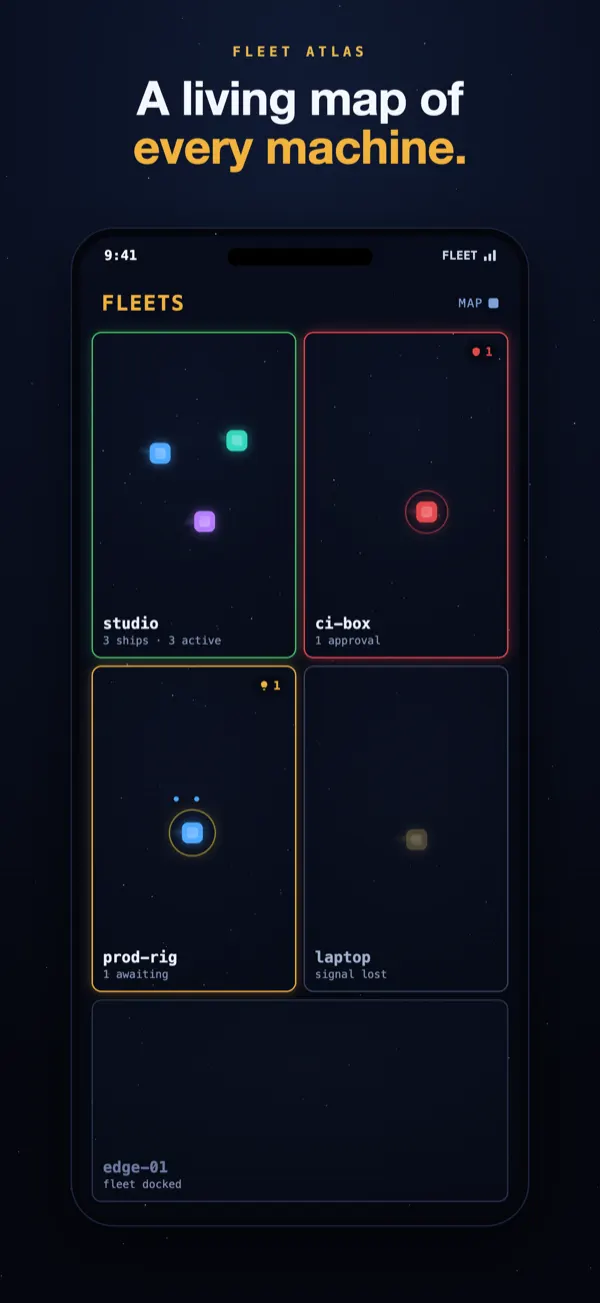
A living map of every machine. Each computer is its own territory, its sessions drifting inside — green when it's humming, amber when one needs you, red when something's blocked.
Claude Code + Codex · every machine · iPhone + Apple Watch
Fleet Command: Agents is a free iPhone and Apple Watch app that watches your Claude Code and Codex sessions while you're away from the terminal. Get a push notification the second a session needs you, approve or deny a command remotely from the lock screen, and answer an agent's question without going back to your desk.
Your vendor's app shows you one session. This is the layer above: every machine you own on one live space-map — who's working, who's waiting, and which laptop has gone dark. Machine heartbeats catch a dead box, not just a stalled session.
Free · works alongside Remote Control, Conductor & claude-squad · not affiliated with Anthropic or OpenAI
// HOW IT WORKS
On any machine running Claude Code (Mac, Windows, or Linux), add the marketplace and install — then restart Claude Code.
$ claude plugin marketplace add \
    sideffect263/fleet-commander
$ claude plugin install fleet-commander
Open the app, tap Add a Fleet, name your machine. It shows a one-time pairing code.
Link with the code. Every session becomes a ship. Optionally gate risky commands on phone approval.
> /fleet-link FLEET-7Q2K
✓ linked · fleet is live
> /fleet-approvals on
// WHY IT'S DIFFERENT
A living map of every machine. Each computer is its own territory, its sessions drifting inside — green when it's humming, amber when one needs you, red when something's blocked.
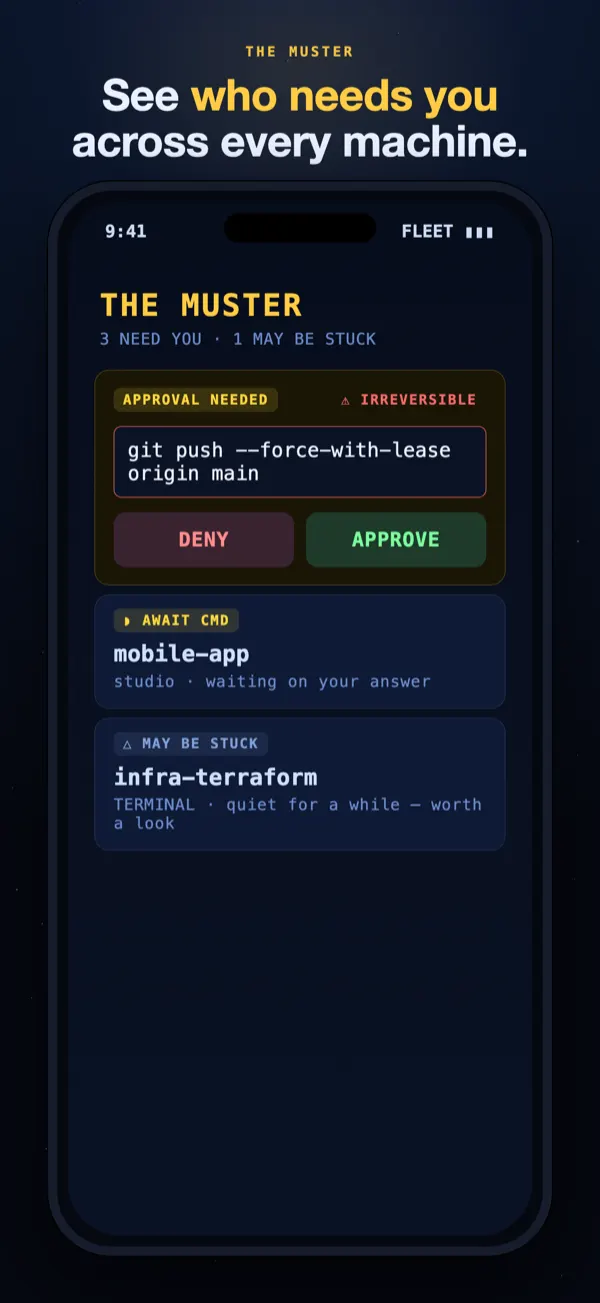
One ranked list of exactly who needs you across the whole fleet. Only what matters sends a push notification — quiet digests roll up the rest, so your phone never floods.
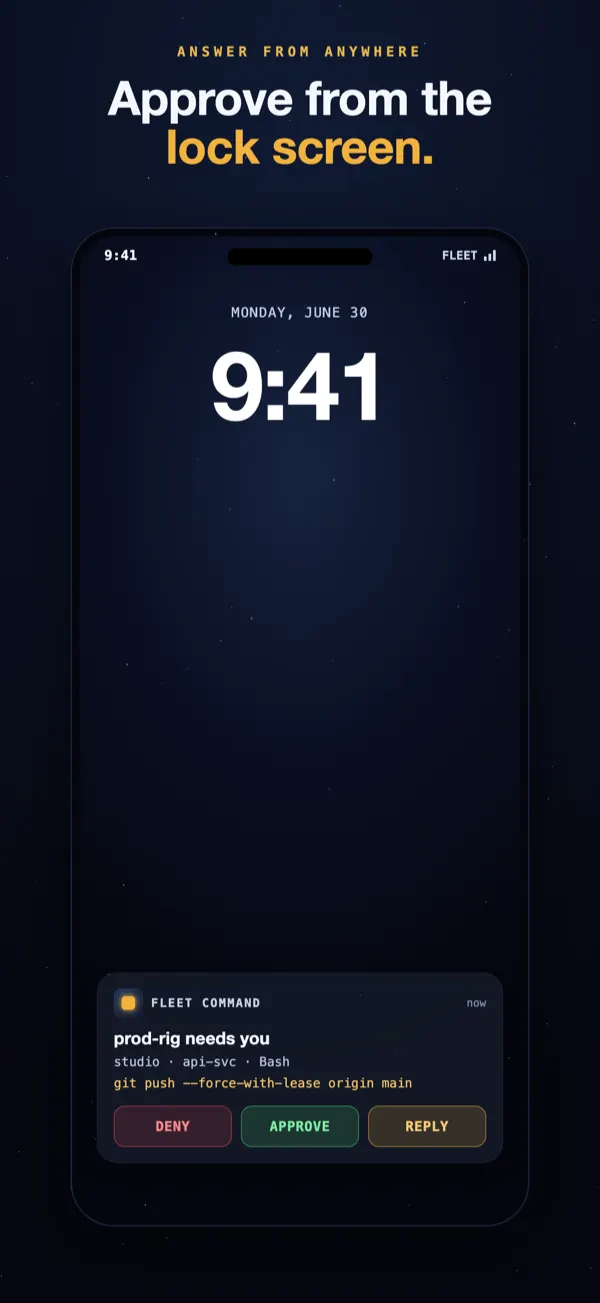
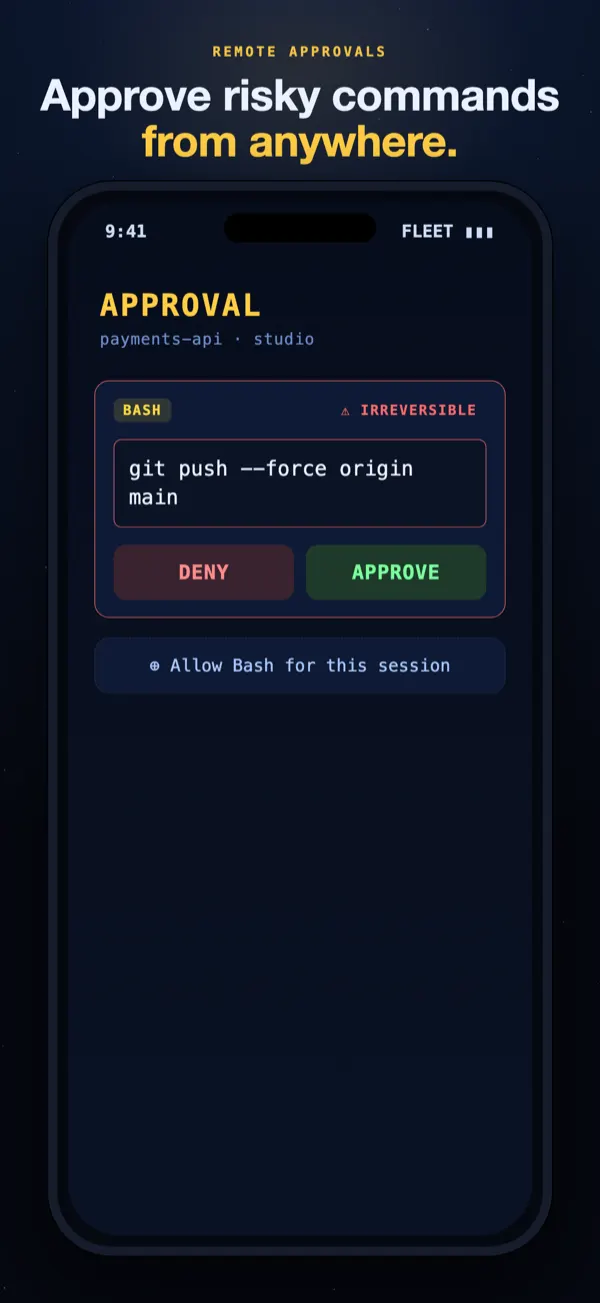
Gate risky commands. Approve or deny a force-push right from the lock screen or your Apple Watch — and a fan-out of identical requests clears in one tap.
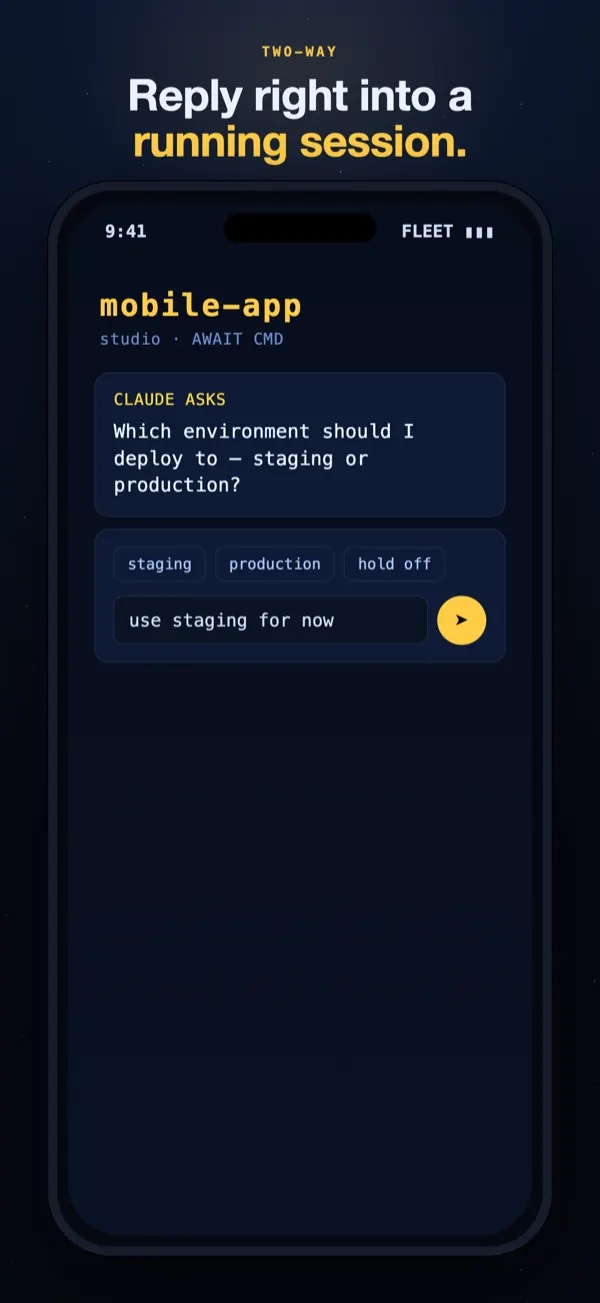
Answer an agent's question by typing from your phone — or dictating from your wrist — straight into the running session. No trip back to the terminal.
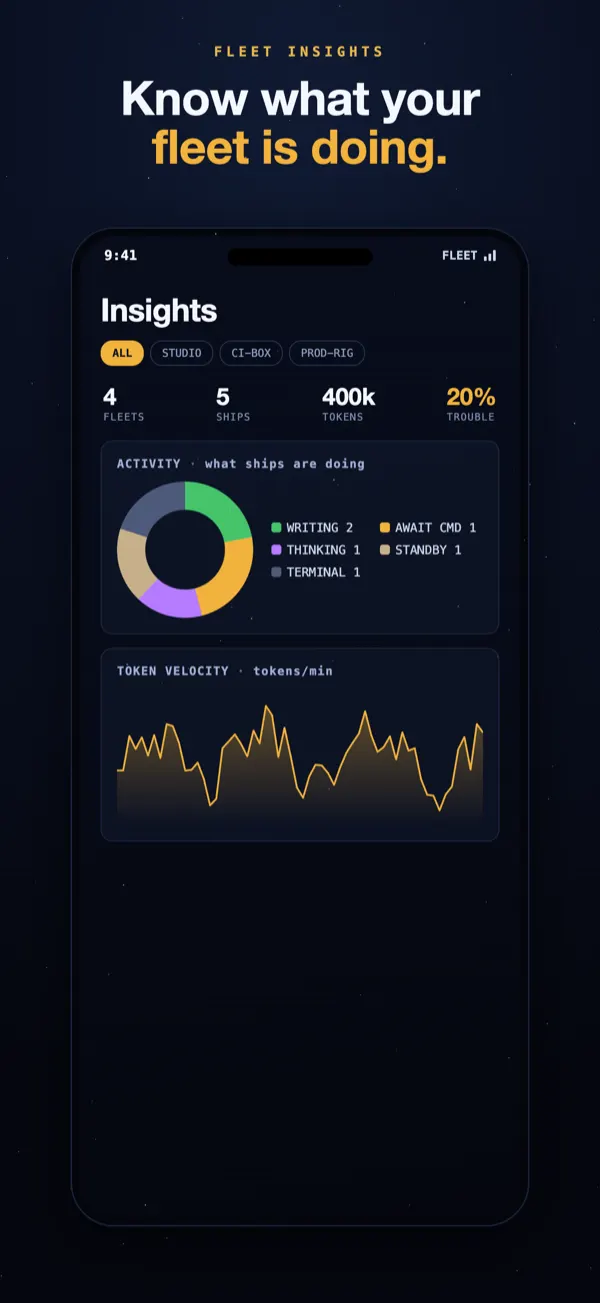
What your agents are doing, token velocity, busiest hours, and which tools and skills every session uses — across the fleet or per machine.
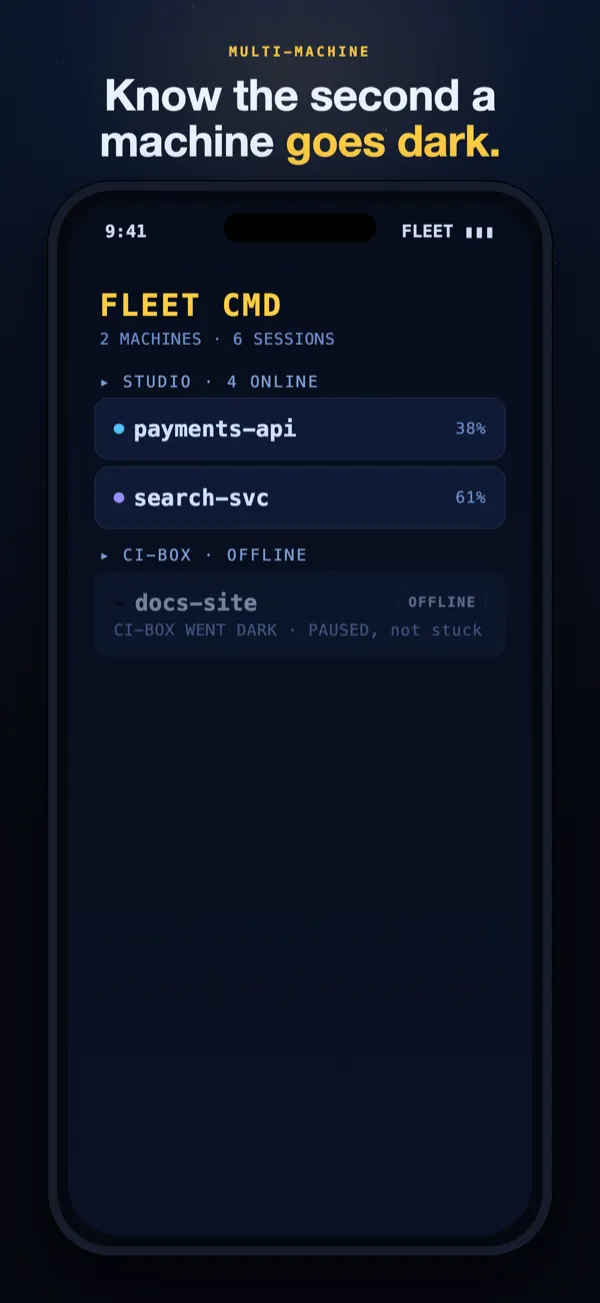
Mac, Windows, or Linux; Claude Code & Codex in the same fleet. Machine heartbeats tell the two failures apart: a session stuck mid-work on a live machine shows Adrift; a laptop that stops beating shows Offline — you know when the machine itself went dark, not just the session.
// SEE IT LIVE
Straight from the app: the living map, an approval cleared from the ship's side, and Insights on what your fleet is doing.
// INSIDE THE APP
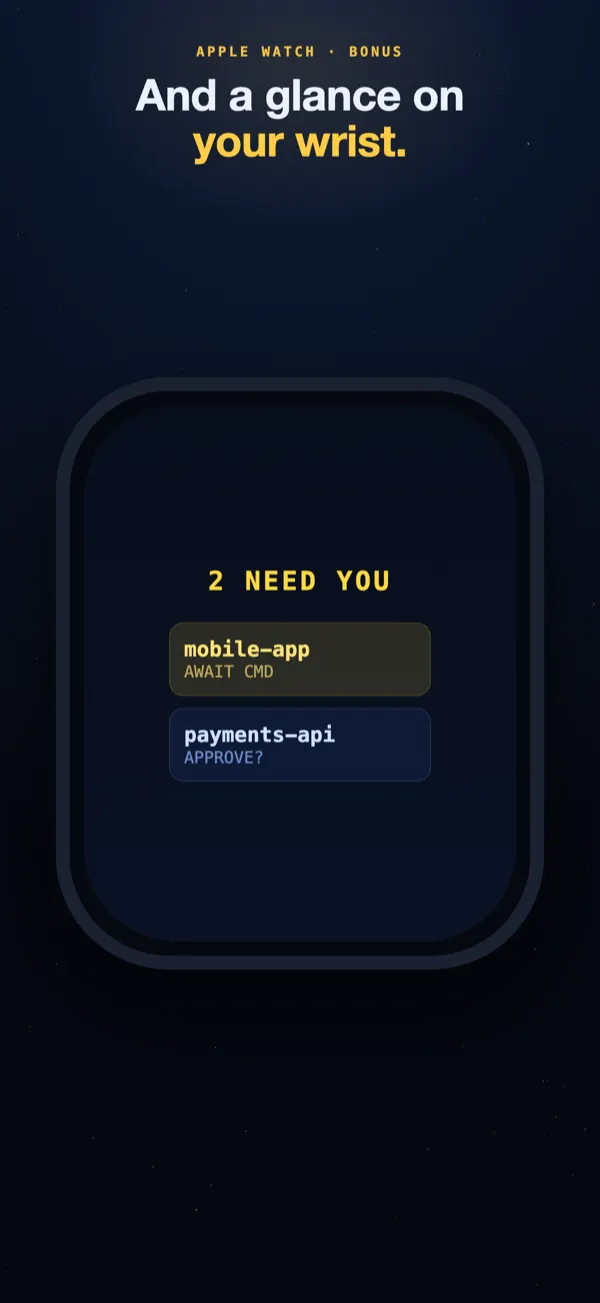
Eight screens from the iPhone and Apple Watch app — the live fleet map, the notification that reaches you first, and the approval you clear with one tap.
// THE FORM FACTOR OTHERS LACK
Agents run for minutes. You shouldn't have to babysit a terminal. Raise your wrist: green ships are thinking, a pulse means one is waiting on you. Tap to see the ship, approve the command, and put your arm back down — see what the watch app does.
// A LAYER, NOT A LOCK-IN
Remote Control, Conductor, claude-squad — keep them. Fleet Command watches through the CLI's own hooks, so hooks fire no matter who launched the session. Everything still rolls up into one fleet.
We watch the official CLI through its own hooks. Nothing sits between you and Anthropic. Nothing that can be banned, no wrapper to break on the next release.
By architecture, no transcripts, no code files, no prompts ever leave your machine. The only prose that ever transits is what you explicitly opt into. Read exactly what's sent →
How it compares to Remote Control, Happy & Omnara — honestly →

Download the app, install the free plugin, and command your agents from anywhere.